
Settings
Click Settings at the bottom left.
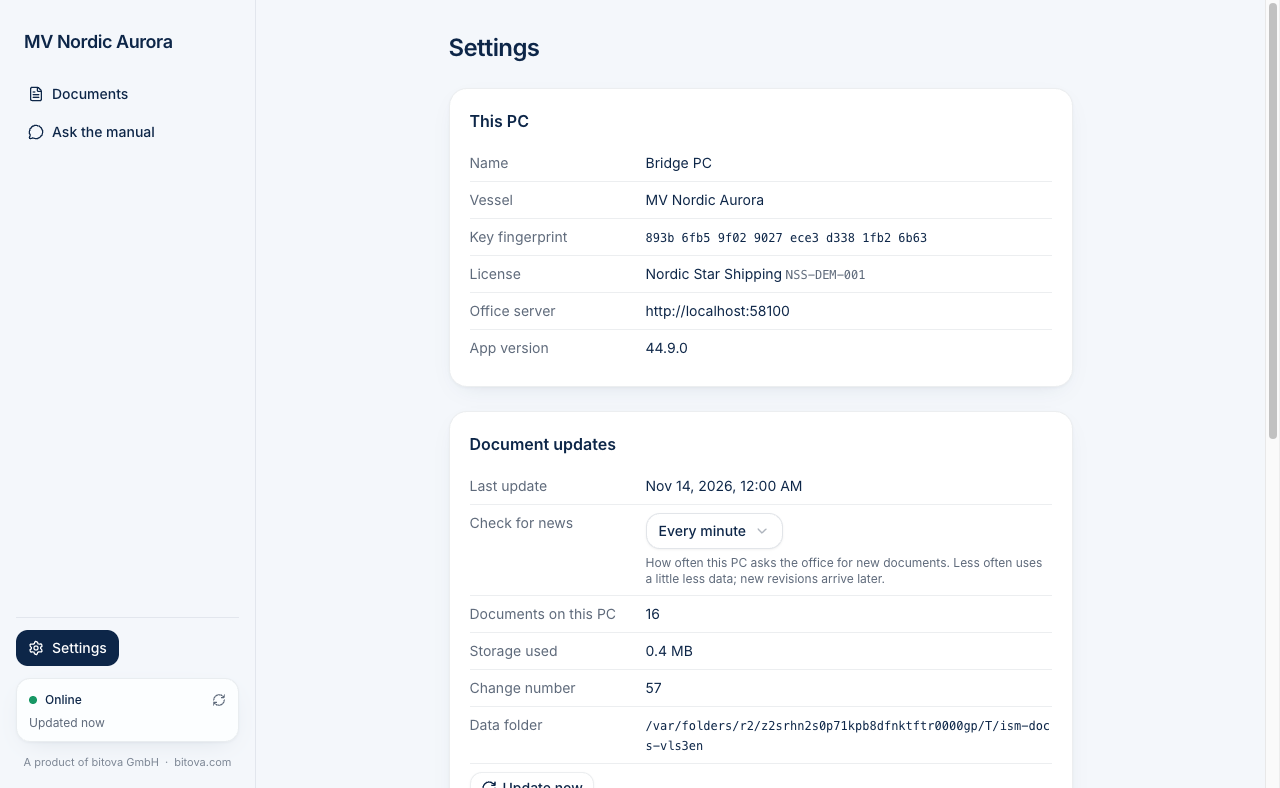
Information
Section titled “Information”- This PC – the PC’s name, the vessel, the license and the app version.
- Document updates – when the documents were last updated, how many documents are on the PC and how much space they use.
- Check for news – how often the PC asks the office for new documents: every 30 seconds, every minute (the default), every 2 or every 5 minutes. Less often uses a little less data, but new revisions arrive a bit later.
- Data usage – how much data the app sent and received over the network on this PC: this month, this year and in total. This includes updates of the documents, the assistant, license checks and app updates. The numbers are approximate. The office sees the same numbers in the dashboard.
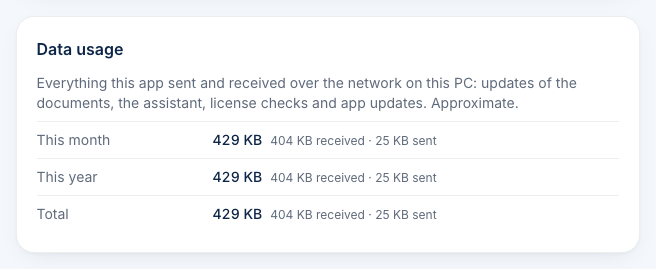
The office may ask you for these details when helping you.
Maintenance
Section titled “Maintenance”| Button | What it does |
|---|---|
| Update now | Checks the office for news right away and repairs missing files. |
| Pair again | Sends a new pairing request, for example if the office asks for it. The documents stay readable until the office approves. |
| Reset app | Removes everything the app stored on this PC – license, pairing and documents – and starts over with the license number. |
| Quit | Closes the app. A running update is finished first. |
Pair again and Reset app ask you to confirm before they do anything.
A product of bitova GmbHbitova.com