
Reading documents
The start page
Section titled “The start page”When the app opens, it shows Recently updated: the documents the office published or revised last, newest first. New marks a new document, Updated a new revision of an existing one. Click In … next to a document to go to its folder.
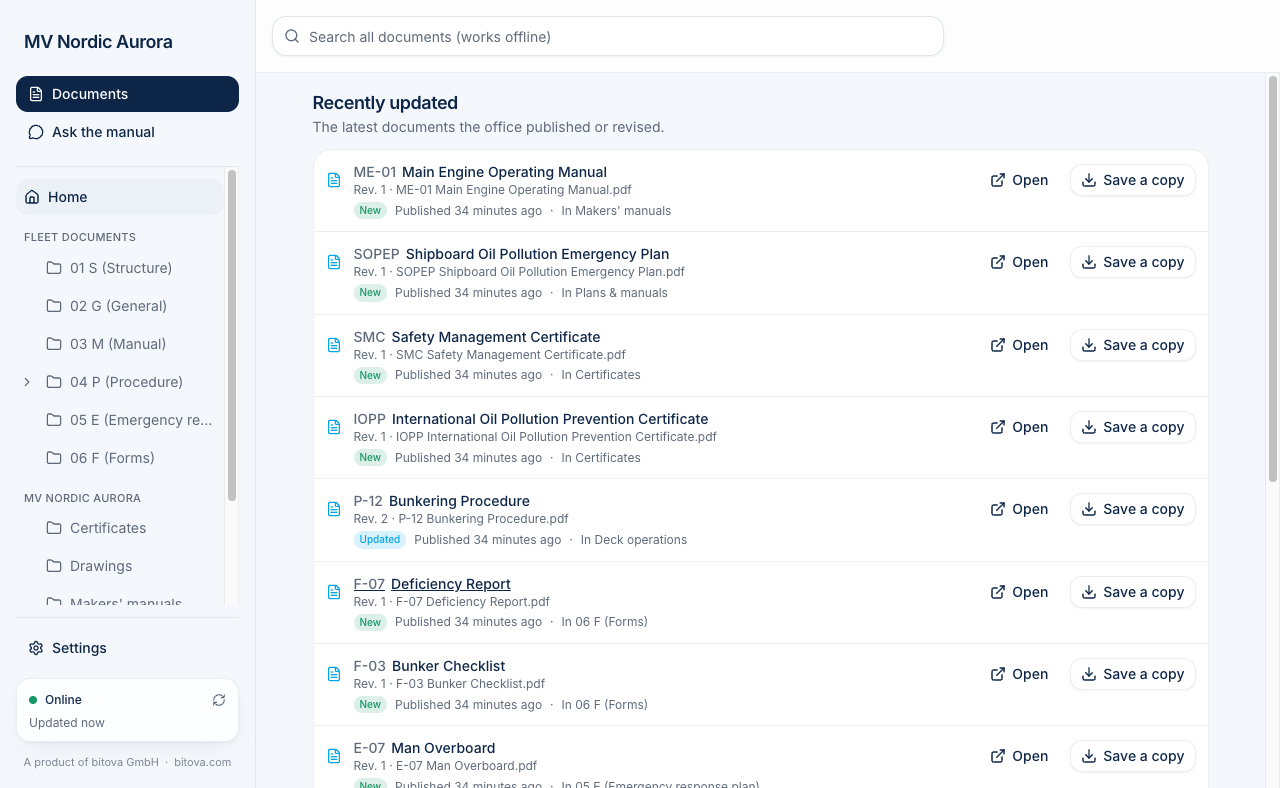
Below that come the two parts of what is on board, each with its main folders:
- Fleet documents – from the office, the same on every vessel of the fleet: the safety management manual, circulars, forms.
- This vessel’s documents, under the ship’s name – only for this ship: its certificates, approved plans, drawings and makers’ manuals.
Each folder says how many folders and documents it contains.
Folders and subfolders
Section titled “Folders and subfolders”On the left you see the folders, like in Windows Explorer, in the same two parts: Fleet documents and the ship’s name. A folder with an arrow › in front of it has subfolders: click the arrow to show or hide them. Click Home to go back to the start page.
When you open a folder, you see:
- the path at the top (for example Home › Fleet documents › 04 Procedure › Deck). Click any folder in it to go back up. For a folder deep down, the middle of the path is shortened to …; click it to see the whole path.
- Folders – its subfolders. Click one to open it.
- Documents – the documents directly in this folder.
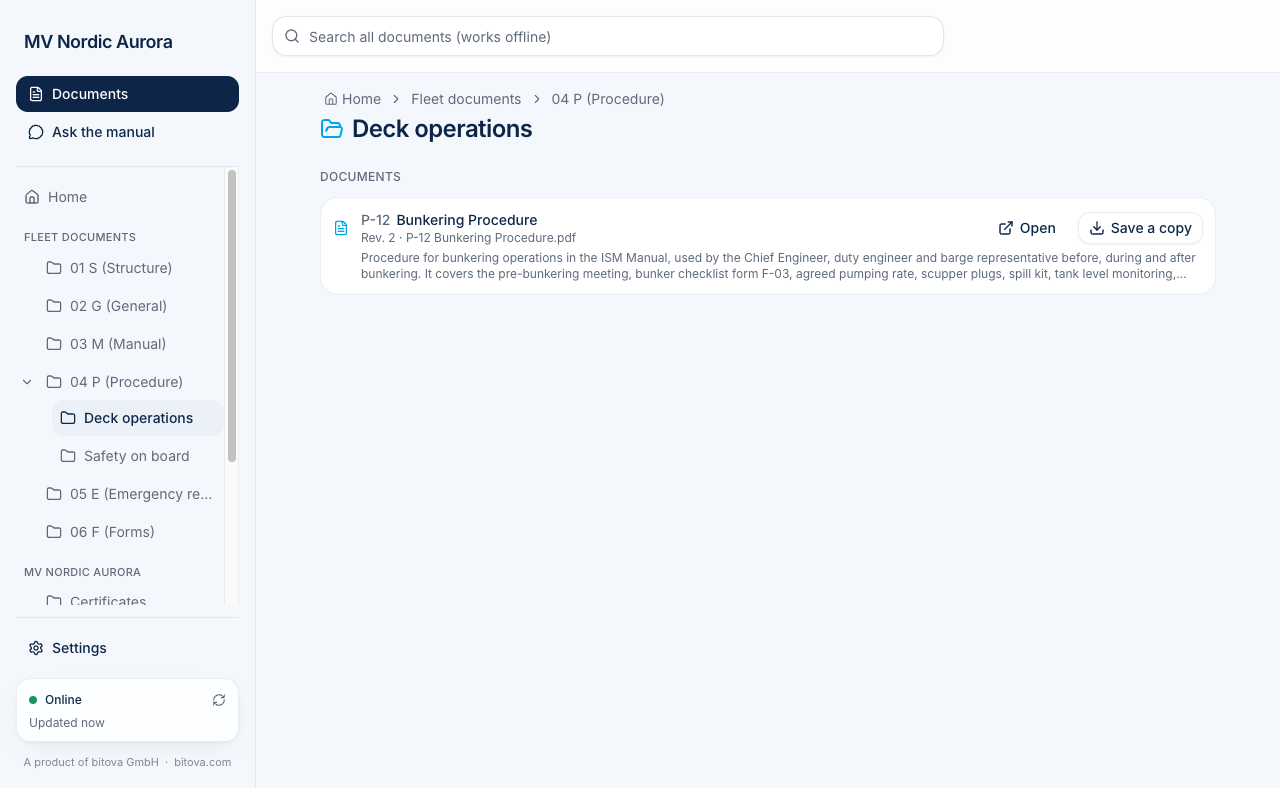
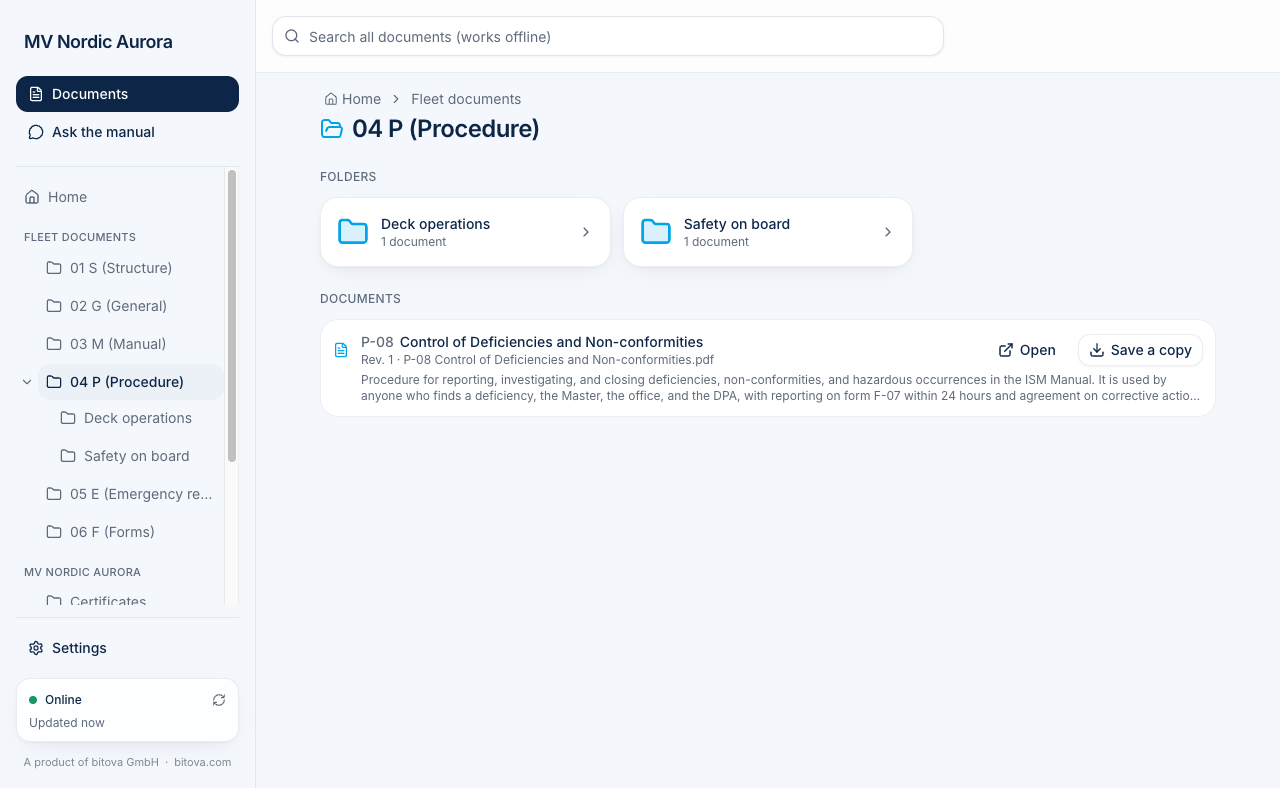
Every document shows its code (e.g. P-12), its title, the revision (Rev. 2) and a short description of what it is about.
Looking at a document
Section titled “Looking at a document”Click a document to open it inside the app. Scroll to read all pages.
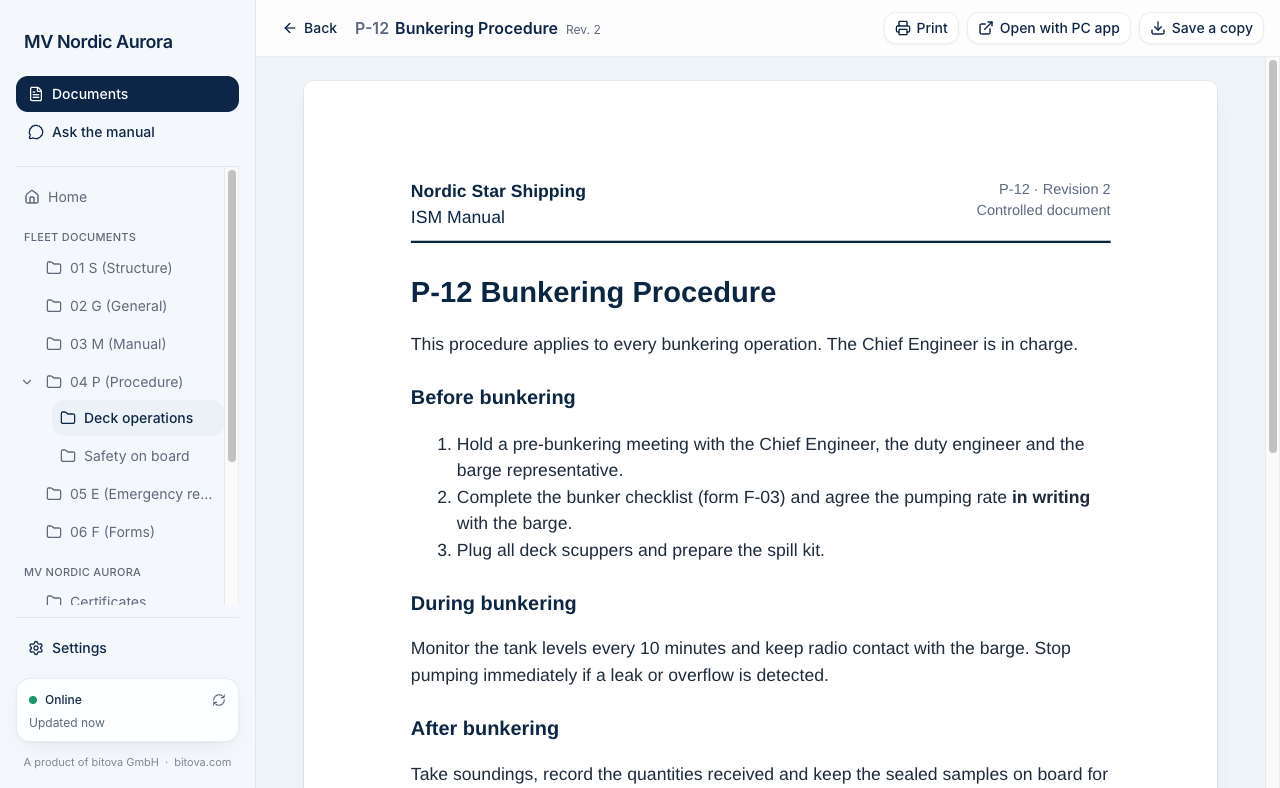
At the top you find:
- Print – prints the document.
- Open with PC app – opens a copy in the PC’s own program (for example Word or the PDF reader). The document in the app itself is never changed.
- Save a copy – see Saving copies.
- Back – back to the list.
Word and Excel documents are shown as a PDF preview. It can look slightly different from the original; for forms, open or save the original file.
A product of bitova GmbHbitova.com