
Search
Click Search at the top left, or press Ctrl + K (⌘ K on a Mac), and start typing.
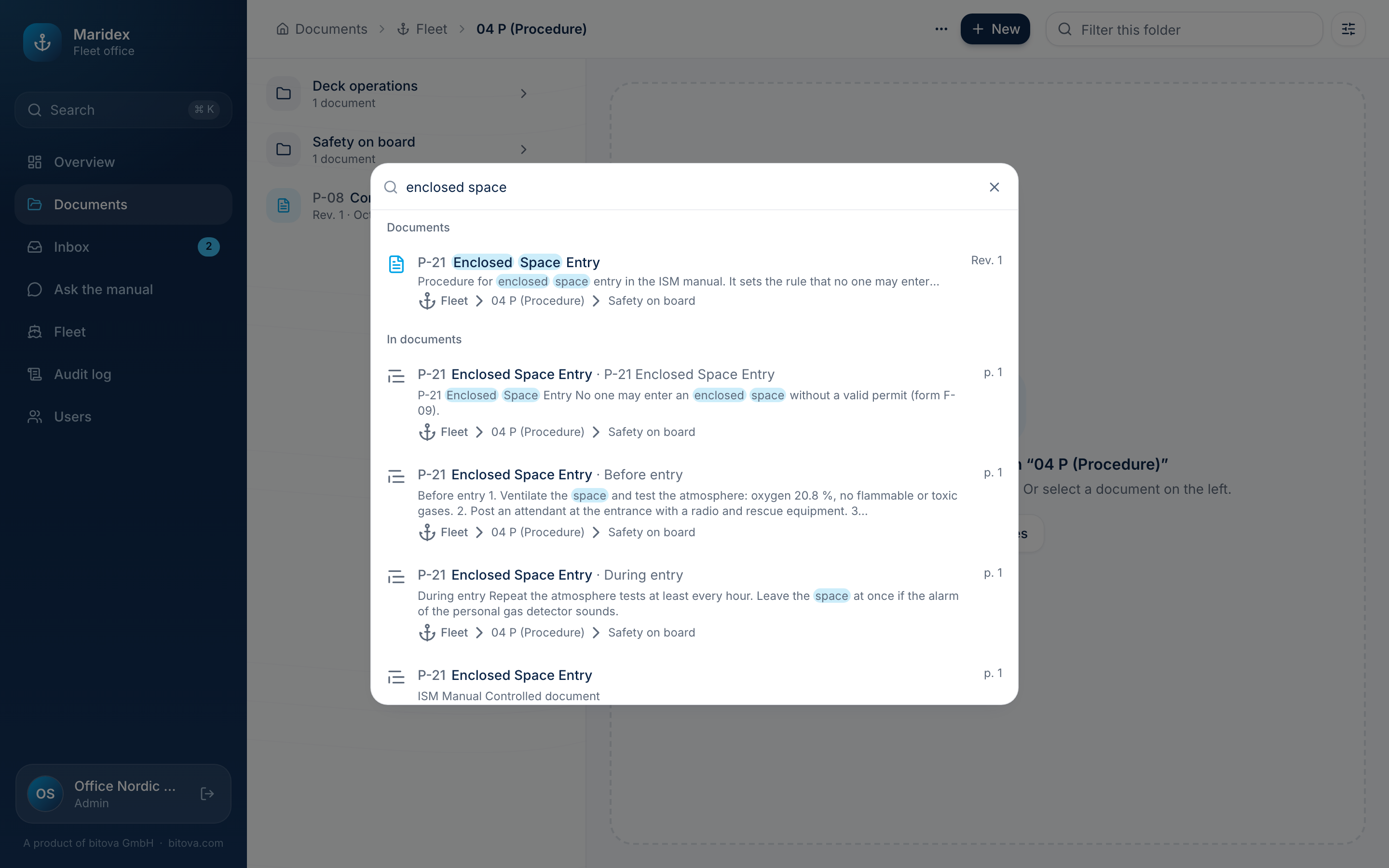
The search finds:
- Documents by code, title and description,
- text in documents, with the page where it appears,
- folders,
- and pages of the dashboard, such as Fleet or Profile.
Use the arrow keys and Enter, or click a result.
A product of bitova GmbHbitova.com