
New revisions
When a document changes, you publish a new revision. The new revision replaces the old one on the ship PCs that receive the document’s library automatically; the old one stays in the history.
Publishing a new revision
Section titled “Publishing a new revision”- Open the document.
- Click Upload new revision – or drag the new file onto the open document.
- Choose the file and the Effective date.
- Under What changed?, write a short note for the history (optional, but helpful).
- Click Publish revision.
The revision number goes up by one (Rev. 1 → Rev. 2). The ship PCs receive it with their next update – usually within minutes when they are online.
The history
Section titled “The history”The Revisions tab lists every revision with its date, who published it and the note.
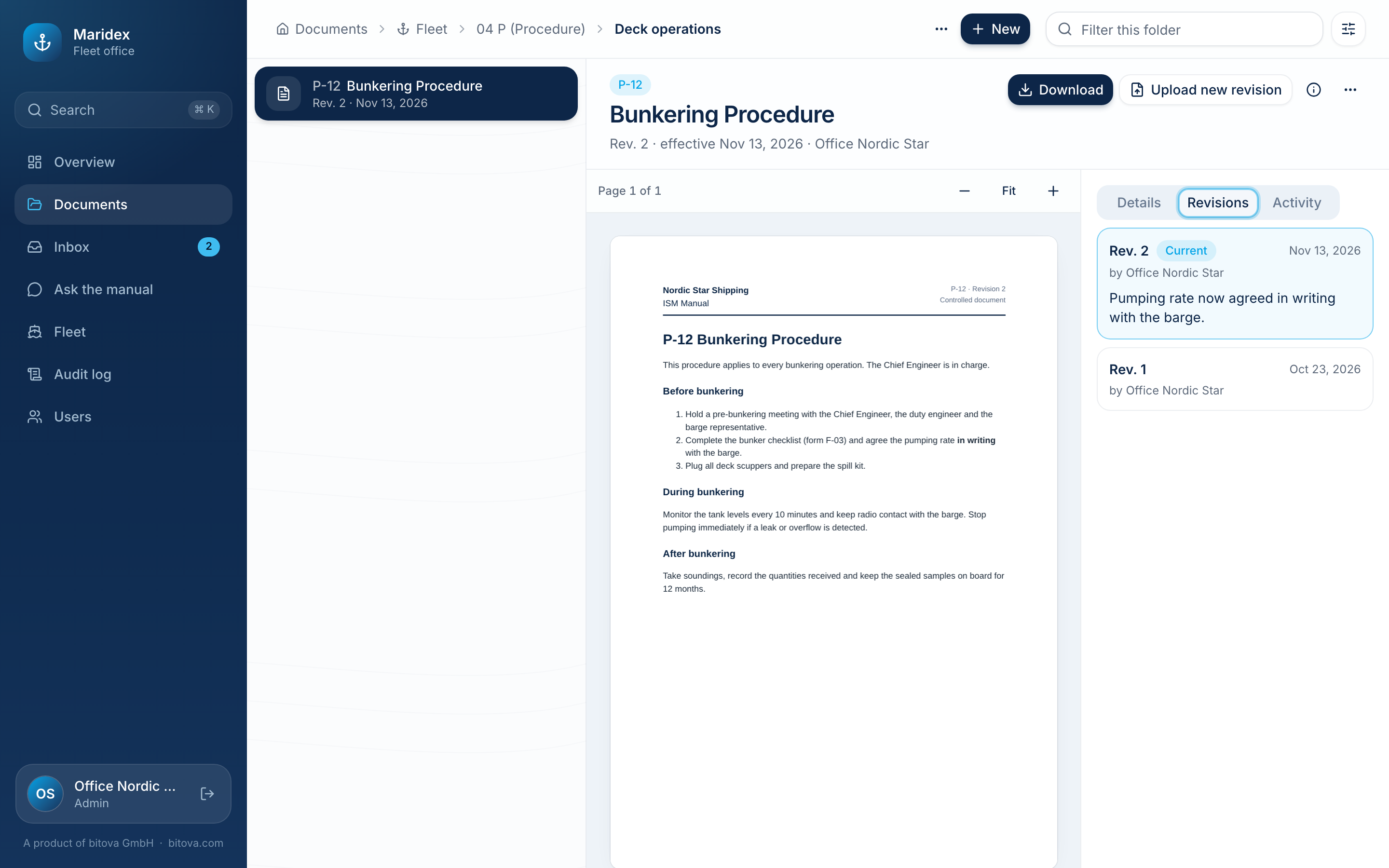
Click an older revision to look at it. A note tells you that it has been superseded; Show current revision takes you back.
The Activity tab lists everything that happened to the document: created, revisions published, details changed, downloaded, archived.
A product of bitova GmbHbitova.com