
Libraries
Every document lives in exactly one library. The library decides who receives it:
| Library | What belongs there | Who receives it |
|---|---|---|
| Office | Contracts, charter parties, insurance, crew records – anything that stays ashore | Nobody on board. It stays in the office. |
| Fleet | The ISM manual, fleet circulars, company policies, forms | Every vessel |
| One per vessel (e.g. MV Nordic Aurora) | That ship’s certificates, approved plans (SOPEP, security plan, stability …), drawings, makers’ manuals, survey reports | That vessel only |
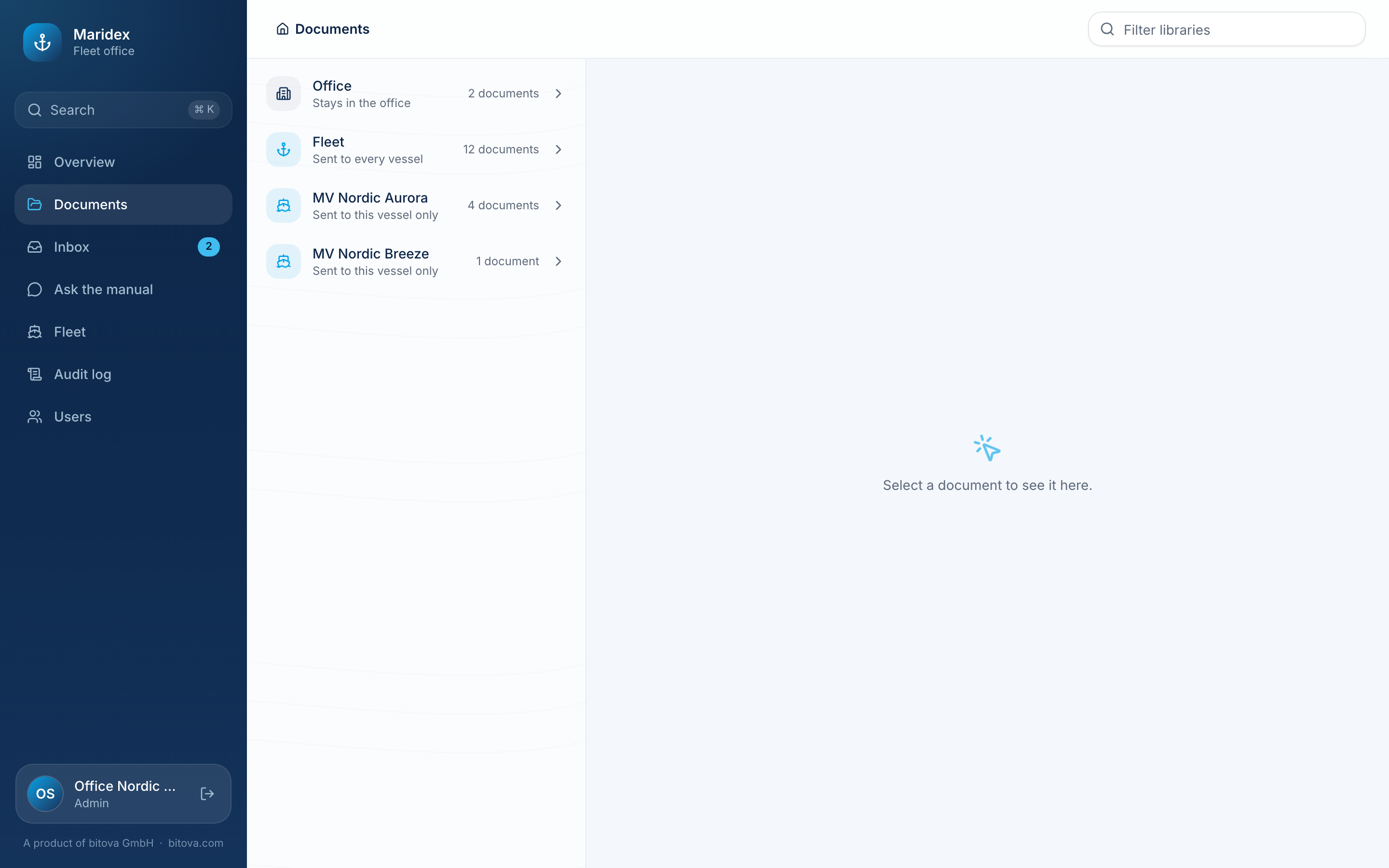
Open Documents in the menu: the libraries come first, each with who receives it and how many documents it holds. Click one to see its folders.
A library for each vessel
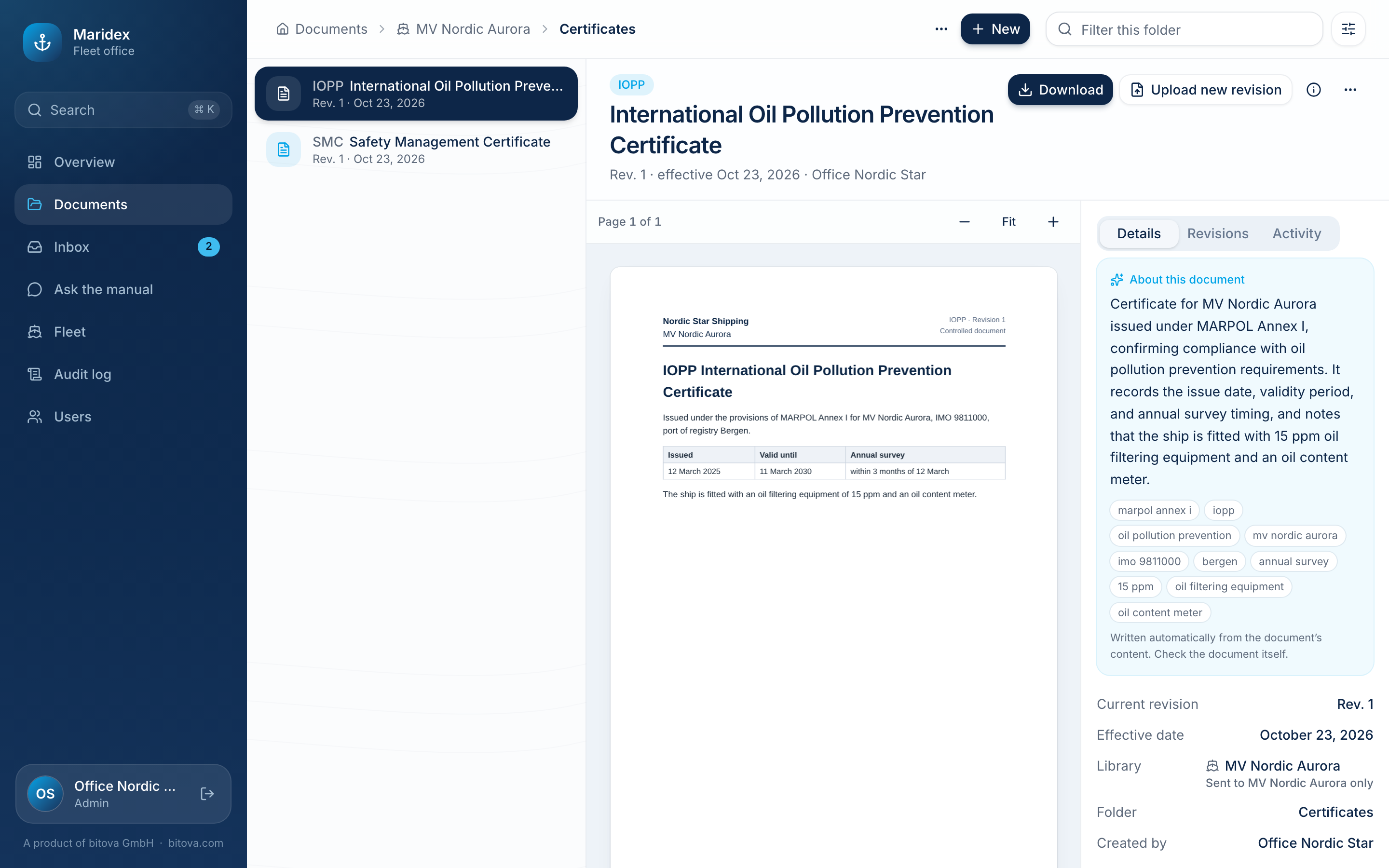
Section titled “A library for each vessel”When you add a vessel, it gets its own library right away, with the usual folders: Certificates, Plans & manuals, Drawings, Makers’ manuals, Surveys & inspections and Ship-specific procedures. Rename them, add more or delete the ones you don’t need, like any folder.
The ship PCs of a vessel receive the fleet library and their own vessel’s library – never the office library and never another vessel’s documents. The same applies to the assistant on board: it only answers from what that ship has.
On the Fleet page, Library next to a vessel opens its library.
Moving a document to another library
Section titled “Moving a document to another library”A document can move to any folder, also in another library – for example a circular that should only go to one ship, or a contract that was filed in the fleet library by mistake.
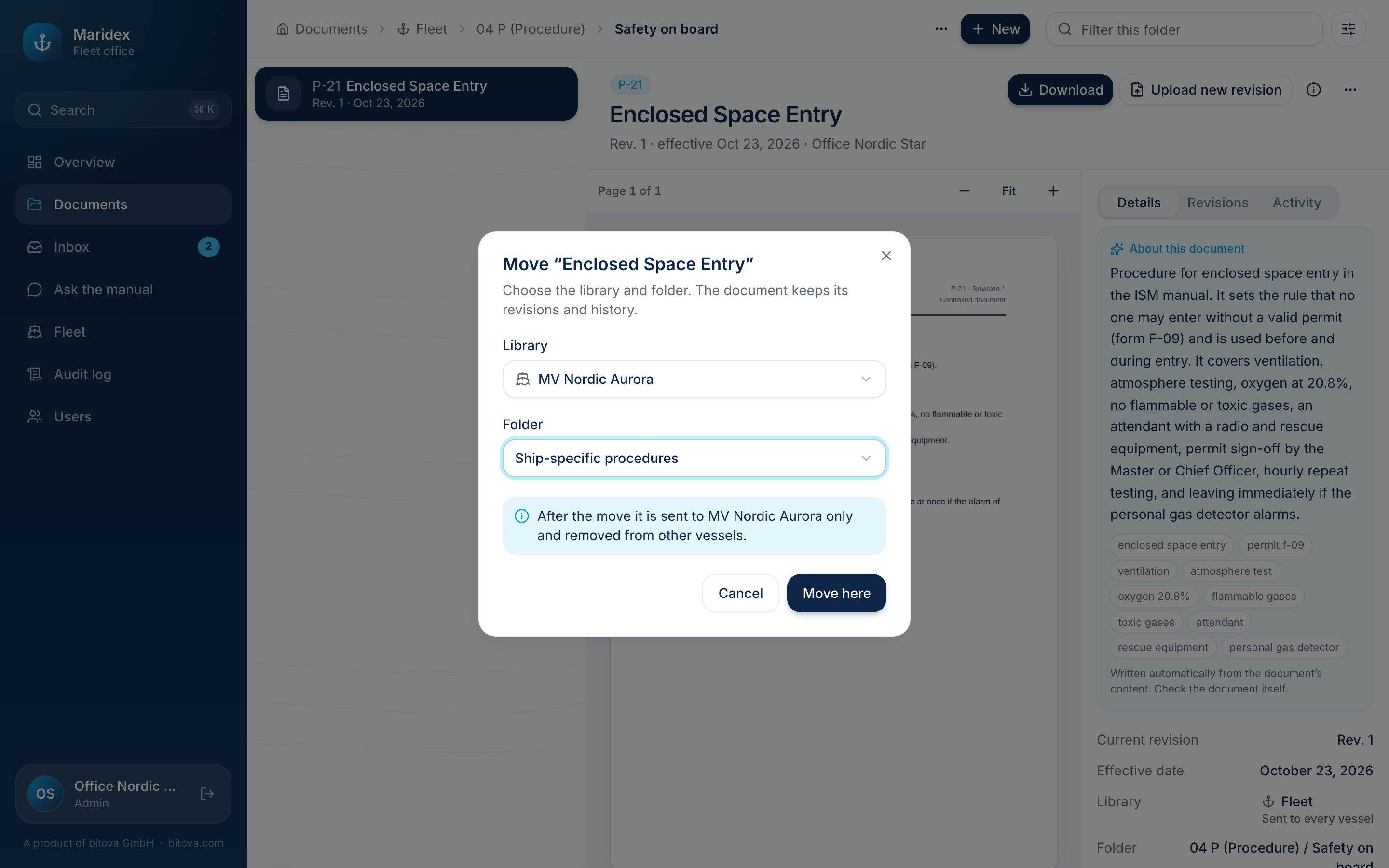
- Open the document and click … → Move.
- Choose the Library and the Folder.
- The dialog says what changes, e.g. “After the move it stays in the office and is removed from all vessels.” Click Move here.
The document keeps its revisions and its history. Ship PCs that no longer receive it remove it with their next update; ship PCs that now receive it download it.
Sister vessels
Section titled “Sister vessels”The same file may be in several libraries – for example the same maker’s manual for two sister vessels. Upload it into each vessel’s library. Within one library, the same file can only exist once: when you upload it again, the upload says which document already has it.
Document codes are unique within a library, so every vessel can have its own SOPEP or IOPP.
A product of bitova GmbHbitova.com