
Messages and what to do
| Message | What it means | What to do |
|---|---|---|
| Offline | The PC has no connection to the office right now. | Nothing. The documents stay usable and update when the connection is back. |
| Online only next to Ask the manual | The assistant needs internet. | Use the search, or try again when online. |
| The last update failed | The documents could not be updated. | Click the Update now arrows. If it keeps failing, tell the office. |
| Waiting for the office | The pairing request was sent. | Tell the office the code on the screen. |
| The office did not approve this PC | The office rejected the pairing request. | If the PC should get the documents, click Pair again and tell the office. |
| This PC was disconnected by the office | The office has disconnected this PC. | Ask the office. Click Pair again if it should be connected again. |
| This version is too old for the office | The office needs a newer version of the app. | Wait for the update and click Restart when it’s ready (see Updates). |
| The license has expired / was turned off | The company’s license is no longer valid. The documents are locked. | Contact your office for a new license number and enter it. |
When the office removes a PC
Section titled “When the office removes a PC”If the office revokes a PC (for example because it was replaced or lost), the app removes the license, the pairing and its copy of the documents, and shows:
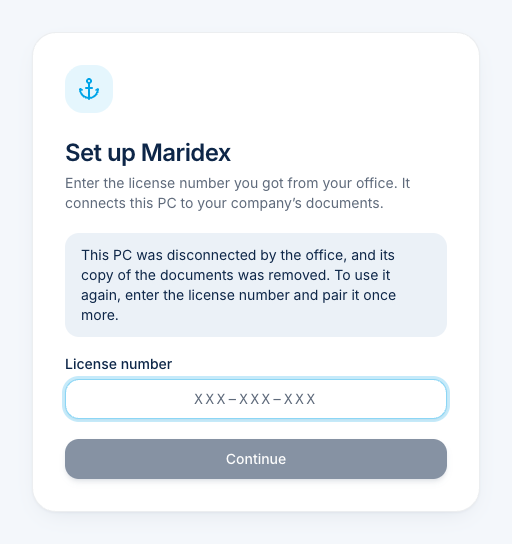
To use the PC again, enter the license number and pair it once more.
Uninstalling
Section titled “Uninstalling”Uninstall the app through Windows Settings → Apps. Everything the app stored is removed with it. Tell the office, so they can remove the PC from their list.
A product of bitova GmbHbitova.com