
Asking the assistant
Open Ask the manual in the menu. Type a question in your own words, or click one of the examples, and press Enter.
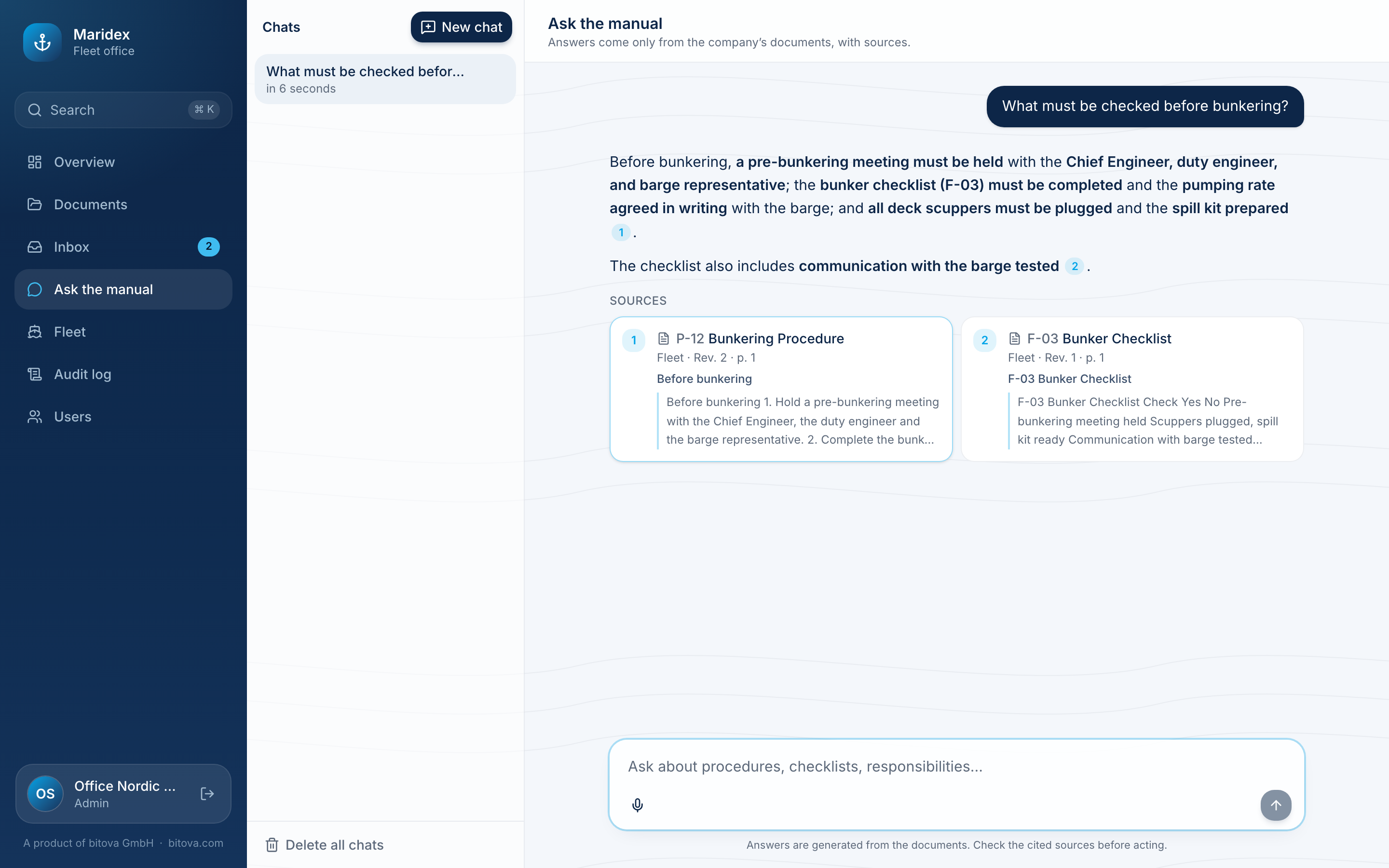
- The assistant answers only from the current manual – never from the internet or general knowledge. If the documents don’t cover the question, it says so.
- While it works, you see what it does, for example Searching the text or Reading a document.
- Every statement has a small number that refers to a source below the answer: document, revision, page and the passage it relies on. Click a source to open the document at that page.
Your chats
Section titled “Your chats”Your chats are listed on the left under Chats. Click one to continue it, New chat to start a new one. The … menu of a chat deletes it; Delete all chats at the bottom removes all of them. Only you can see your chats.
The microphone button lets you speak your question instead of typing (in browsers that support it).
A product of bitova GmbHbitova.com